Protecting Your Online Identity: 2026 Phishing Defenses
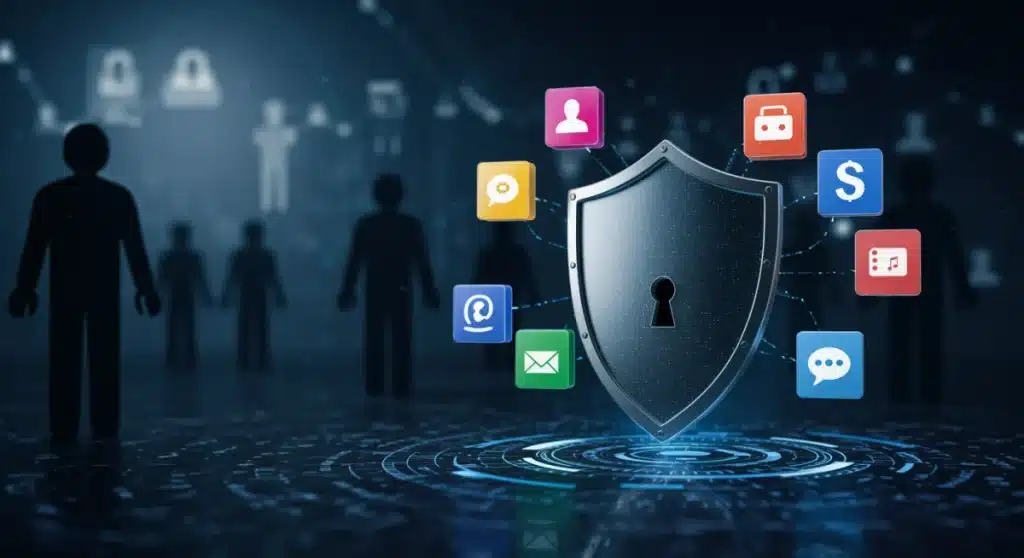
Protecting your online identity from phishing scams in 2026 demands a multi-layered approach, combining advanced technological defenses with heightened user awareness to combat increasingly sophisticated cyber threats.
In an increasingly digital world, the need for protecting your online identity has never been more critical, especially as we navigate the evolving landscape of 2026 where phishing scams are more sophisticated than ever. These deceptive attacks aim to trick individuals into revealing sensitive information, ranging from login credentials to financial details, often with severe consequences. Understanding the nuances of these threats and adopting robust preventative measures is paramount for every internet user.
The evolving landscape of phishing in 2026
Phishing attacks are no longer just poorly worded emails. In 2026, cybercriminals employ advanced techniques, leveraging artificial intelligence, social engineering, and deepfake technology to create highly convincing imitations of legitimate communications. These sophisticated scams make it harder for the average user to distinguish between genuine and fraudulent requests, increasing the risk of compromise.
The speed at which these attacks evolve demands constant vigilance and adaptation from individuals and organizations alike. Attackers are now targeting not just individuals but also supply chains and cloud infrastructure, making the potential impact of a successful phishing campaign far-reaching. Staying informed about the latest tactics is the first line of defense.
AI-powered phishing and deepfake threats
The integration of AI into phishing campaigns marks a significant leap in their effectiveness. AI can generate highly personalized and grammatically flawless phishing emails, making them indistinguishable from legitimate messages. Deepfake technology, on the other hand, allows scammers to create convincing audio and video impersonations, often used in vishing (voice phishing) and smishing (SMS phishing) attacks.
- Personalized content: AI crafts messages tailored to victims, using publicly available information.
- Deepfake impersonations: Realistic audio and video calls mimicking trusted individuals or organizations.
- Automated campaigns: AI automates the distribution of phishing attempts across vast networks.
These developments underscore the need for a more skeptical approach to all digital communications. Even if a message appears to come from a trusted source, the possibility of it being an AI-generated deepfake or a highly personalized phishing attempt is a real threat in 2026. Always verify the sender through an alternative, trusted channel.
In conclusion, the evolution of phishing in 2026 necessitates a proactive and informed defense strategy. The days of easily identifiable phishing attempts are largely behind us, replaced by a new era of highly sophisticated, AI-driven deception. Users must prioritize education and advanced security tools to navigate this complex threat landscape effectively.
Fortifying your digital defenses with multi-factor authentication
Multi-factor authentication (MFA) remains one of the most effective strategies for protecting your online identity against unauthorized access, even if your login credentials are compromised by a phishing scam. MFA adds an extra layer of security by requiring two or more verification factors to gain access to an account, making it significantly harder for cybercriminals to break in.
While passwords can be stolen, the additional factors, such as a code from a mobile app, a fingerprint, or a physical security key, are much more challenging for attackers to acquire. Implementing MFA across all your online accounts, especially those containing sensitive information, is a non-negotiable step in 2026.
Types of multi-factor authentication
There are several forms of MFA, each offering varying degrees of security and convenience. Understanding the different types can help you choose the best options for your specific needs and risk tolerance. The goal is to create a robust barrier that even sophisticated phishing attempts struggle to bypass.
- Something you know: This is typically your password or a PIN.
- Something you have: This could be a verification code sent to your phone, a mobile authenticator app, or a hardware security key.
- Something you are: This refers to biometrics, such as fingerprints, facial recognition, or retina scans.
The strongest MFA implementations combine factors from different categories. For instance, using a password (something you know) along with an authenticator app (something you have) provides a much higher level of security than using two factors from the same category. Prioritize hardware security keys for critical accounts, as they offer the highest level of phishing resistance.
Ultimately, MFA serves as a critical safeguard in the fight against phishing. Even if a scammer manages to trick you into revealing your password, they are still blocked by the additional authentication step. This makes MFA an indispensable tool for anyone serious about protecting your online identity in 2026.

Recognizing the red flags: common phishing indicators
Despite the advanced nature of 2026 phishing scams, many still exhibit tell-tale signs that, if recognized, can prevent you from becoming a victim. Developing a keen eye for these red flags is a crucial skill in protecting your online identity. It’s about cultivating a healthy skepticism and taking a moment to scrutinize any suspicious communication before acting on it.
Even though AI can generate sophisticated text, certain patterns of urgency, unusual requests, or inconsistencies often remain. Training yourself to spot these subtle cues is a powerful defense mechanism against even the most convincing phishing attempts. Never assume a message is legitimate just because it looks official.
Key indicators to watch for
Phishing attempts often rely on emotional manipulation, creating a sense of urgency or fear to bypass rational thought. They might also promise unrealistic rewards or demand immediate action. Learning to identify these psychological triggers is as important as spotting technical anomalies.
- Suspicious sender address: Check the full email address, not just the display name. Look for unusual domains or misspellings.
- Generic greetings: Phishing emails often use generic greetings like “Dear Customer” instead of your name.
- Urgent or threatening language: Messages demanding immediate action or threatening account closure are common phishing tactics.
- Links and attachments: Hover over links to see the actual URL before clicking. Be extremely cautious with unexpected attachments.
- Grammar and spelling errors: While AI reduces this, inconsistencies can still appear in less sophisticated attacks.
- Unusual requests: Be wary of requests for personal information, especially passwords or financial details, via email or text.
If something feels off, trust your gut. It’s always better to err on the side of caution. If you receive a suspicious message from a company or individual, contact them directly using official contact information, not the information provided in the suspicious message. This simple step can prevent a major security incident and is vital for protecting your online identity.
Securing your devices and network
A strong defense against phishing extends beyond recognizing scams; it also involves maintaining robust security measures on your devices and network. Outdated software, weak network configurations, and a lack of proper endpoint protection can leave you vulnerable to various cyber threats, including those that pave the way for successful phishing attacks. Regular maintenance and updates are not just recommended, they are essential in 2026.
Ensuring your operating systems, applications, and antivirus software are always up-to-date helps patch known vulnerabilities that attackers might exploit. Think of it as regularly reinforcing the walls of your digital fortress. A compromised device can be used to launch further attacks or steal data, even if you avoid a direct phishing link.
Essential device and network security practices
Beyond software updates, there are several other critical practices that contribute to a secure digital environment. These practices form a comprehensive layer of defense, making it much harder for cybercriminals to gain a foothold, even if they manage to bypass initial phishing detection. Proactive security management is key to protecting your online identity effectively.
- Keep software updated: Regularly install updates for your operating system, web browsers, and all applications.
- Use reputable antivirus/anti-malware: Ensure your security software is always active and updated with the latest definitions.
- Firewall protection: Enable and configure your firewall to monitor and control incoming and outgoing network traffic.
- Secure Wi-Fi networks: Use strong, unique passwords for your home Wi-Fi and avoid public Wi-Fi for sensitive transactions.
- Regular backups: Back up your important data to an external drive or cloud service to recover from potential data loss.
These actions, while seemingly basic, form the foundation of a strong cybersecurity posture. Neglecting any of these can create weak points that attackers are eager to exploit. A holistic approach to device and network security significantly enhances your overall resilience against phishing and other cyber threats, safeguarding your online presence.
The human element: education and awareness
While technology plays a crucial role in protecting your online identity, the human element remains the strongest link, or weakest, in the cybersecurity chain. No amount of technological protection can fully compensate for a lack of awareness or poor judgment. Continuous education and training are vital to empower individuals to recognize and resist increasingly sophisticated phishing attempts in 2026.
Cybercriminals constantly adapt their tactics, making it imperative for users to stay informed about the latest threats. Regular training sessions, simulated phishing exercises, and access to up-to-date information can significantly improve an individual’s ability to identify and report suspicious activities. A well-informed user is the ultimate firewall.
Cultivating a security-first mindset
Developing a security-first mindset means treating every unsolicited digital communication with a degree of healthy skepticism. It involves pausing before clicking, verifying before trusting, and understanding the potential consequences of online actions. This mindset should be ingrained in daily digital interactions.
- Think before you click: Always question the legitimacy of unexpected emails, texts, or pop-ups.
- Verify the sender: Double-check email addresses and sender details, especially for unfamiliar or suspicious contacts.
- Report suspicious activity: If you suspect a phishing attempt, report it to your IT department, email provider, or relevant authorities.
- Stay informed: Regularly read up on the latest phishing tactics and cybersecurity news.
- Share knowledge: Educate friends and family about phishing risks to create a stronger collective defense.
Ultimately, a strong security culture, both individually and within organizations, is the most powerful deterrent against phishing. By fostering an environment where vigilance is rewarded and reporting is encouraged, we can collectively raise the bar for cyber defense. User awareness is not just a recommendation; it’s a critical component of protecting your online identity effectively.
Responding to a phishing attack: immediate steps
Even with the best preventative measures, it’s possible to fall victim to a phishing attack. Knowing how to respond quickly and effectively can significantly mitigate the damage and help in protecting your online identity from further compromise. Immediate action is crucial to contain the breach and protect your sensitive information.
Panic can lead to mistakes, so it’s important to have a clear plan of action. The faster you act, the greater your chances of limiting the impact of the attack, such as preventing unauthorized transactions or further spread of malware. Every second counts when your digital security is at risk.
Steps to take after a suspected breach
The first few hours after a suspected phishing incident are critical. Your response should be swift and methodical, focusing on isolating the threat and securing your accounts. Documenting each step can also be helpful for potential investigations or recovery efforts.
- Isolate the compromised device: Disconnect it from the internet to prevent further spread or data exfiltration.
- Change passwords immediately: Update passwords for the compromised account and any other accounts using the same credentials.
- Enable multi-factor authentication (if not already): Add MFA to all your critical accounts for enhanced security.
- Monitor financial accounts: Keep a close eye on bank statements and credit card activity for any suspicious transactions.
- Report the incident: Inform your bank, email provider, or workplace IT department about the phishing attack.
- Scan for malware: Run a full system scan with updated antivirus software to detect and remove any malicious software.
Remember, reporting the incident is not just about your own security; it also helps others. Your report can provide valuable intelligence to security professionals, enabling them to better protect the wider community from similar attacks. Taking these steps promptly is essential for minimizing the impact and beginning the recovery process after a phishing incident.
| Key Strategy | Brief Description |
|---|---|
| Multi-Factor Authentication | Adds extra verification layers beyond passwords for account access. |
| Phishing Red Flags | Learn to identify suspicious email addresses, generic greetings, and urgent requests. |
| Device & Network Security | Keep software updated, use antivirus, and secure Wi-Fi networks. |
| User Education | Cultivate skepticism and stay informed about evolving phishing tactics. |
Frequently asked questions about online identity protection
Phishing is a cybercrime where attackers trick individuals into revealing sensitive information. By 2026, it has evolved from simple email scams to highly sophisticated attacks leveraging AI for personalized content, deepfake technology for impersonations, and advanced social engineering, making detection much more challenging for the average user.
MFA is crucial because it adds extra layers of security beyond just a password. Even if a phishing scam compromises your password, attackers still need another verification factor (like a code from your phone or a biometric scan) to access your account, significantly reducing the risk of unauthorized access.
Despite AI advancements, common red flags include suspicious sender addresses or domains, generic greetings, urgent or threatening language, unexpected links or attachments, and requests for personal information. Always verify the sender through an independent channel if you suspect a scam.
To secure your devices, regularly update all software, use reputable antivirus and anti-malware programs, enable firewalls, and use strong, unique passwords for your Wi-Fi. These steps help patch vulnerabilities and provide a robust defense against various cyber threats, including those linked to phishing.
If you suspect a phishing compromise, immediately disconnect the device from the internet, change all affected passwords, enable MFA on all critical accounts, monitor financial statements for unusual activity, and report the incident to relevant authorities or your IT department. Swift action is key to minimizing damage.
Conclusion
Protecting your online identity in 2026 demands a sophisticated and multi-faceted approach. As phishing scams grow more cunning with AI-driven personalization and deepfake technology, individual vigilance, combined with robust technological defenses, becomes indispensable. By embracing multi-factor authentication, learning to identify evolving red flags, maintaining secure devices and networks, and fostering continuous education, users can significantly reduce their vulnerability. Staying informed and proactive is not just a best practice; it’s a fundamental requirement for navigating the modern digital landscape safely and securely.